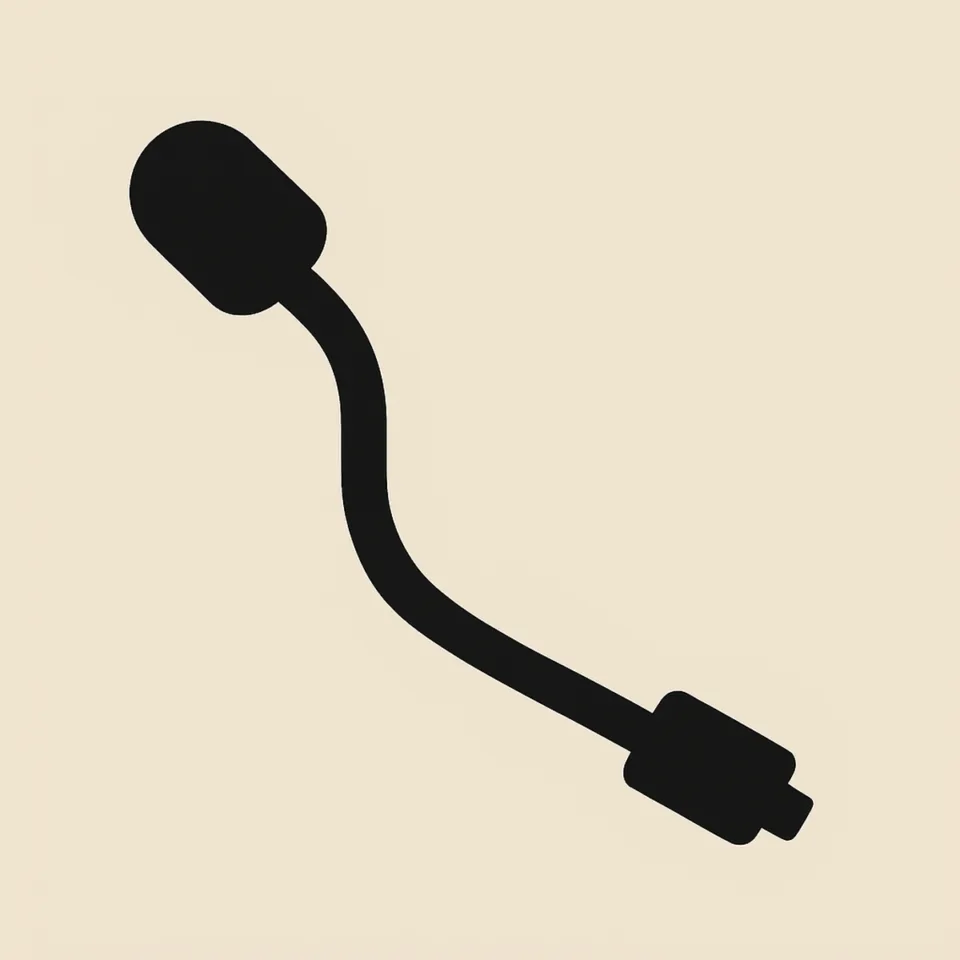
Razer V2 Replacement Boom Microphone — Black
Razer V2 Replacement Boom Microphone — Black for a straightforward spare mic swap.
$13.63 In stock
SKU RAZER-224-2514-151-15
- Revive a gaming headset — this black replacement boom microphone swaps into Razer V2 without buying a new pair.
- Restore the microphone — the straightforward spare mic swap helps replace a worn boom on a listed Razer setup.
- Support long gaming sessions — the gaming headset microphone for Razer V2 provides a replacement boom for continued headset use.
- Choose the correct spare — this aftermarket boom microphone is distinct from the 3.5 mm aux audio cable.
Sizes and finishes
- Razer BlackShark V2
- Razer BlackShark V2 Pro
- Razer BlackShark V2 SE
- BlackShark V2 detachable boom
About this pair
Razer V2 boom microphone. Black.
The outcome is simple: unplug the old boom from the ear-cup jack, insert the new black stick until it seats, and confirm the connector matches your worn mic. It is a practical replacement microphone for a headset that still needs its boom restored.
Features
- Restore headset use:The replacement boom microphone swaps into Razer V2 to help revive a gaming headset instead of buying a new pair.
- Match a black headset setup:This black microphone for Razer V2 headphones provides a color-matched spare boom for the listed Razer models.
- Support gaming sessions:The gaming headset microphone for Razer V2 gives your headset a replacement boom for long gaming sessions.
- Make the spare mic swap straightforward:The Razer V2 microphone uses an ear-cup jack connection, so you can unplug the old boom and insert the new black stick until it seats.
- Keep the correct part in hand:The Razer V2 microphone kit is a replacement boom microphone, not a 3.5 mm aux audio cable.
Use cases
This spare microphone is suited to several common headset situations. Use it as aBlackShark V2 detachable boomreplacement when the original boom is worn, or as aV2 Pro flip-up mic stickspare for the listed model family. It also serves as aV2 SE gaming boom sparewhen the connector matches your worn mic.
For a repair focused on the microphone, this part is a3.5 mm boom jack insertreplacement rather than an aux lead. It can be considered for anesports voice-chat microphonesetup, abent-boom replacement arm, or ablack gaming mic wandswap. The listing identifies it as anaftermarket Razer talkstickspare and acardioid-style boom swapis not documented here as a mute-behavior specification.
Before installation, confirm the microphone jack on your cups and compare it with the worn mic connector. The product is listed for Razer BlackShark V2, V2 Pro, and V2 SE. It is not listed here for Kaira or Kraken. It is alsonot an aux headphone cable: is the black replacement boom microphone, while is a 3.5 mm aux audio cable.
Box
The shipment is the Razer V2 Replacement Boom Microphone — Black.
Compatibility and installation
To replace a broken BlackShark V2 mic, unplug the old boom from the ear-cup jack and insert the new black stick until it seats. Confirm that the connector matches your worn microphone before completing the swap. This installation guidance is intentionally direct, keeping the replacement focused on the boom microphone rather than the headset or an audio cable.
Many BlackShark booms mute when flipped, but this listing does not document mute behavior for the replacement. Use your headset’s mute control if the new boom does not switch. The part is an aftermarket black boom microphone spare, not a factory Razer boxed mic unless the listing says OEM.
Why this spare microphone
Revive an existing gaming headset without replacing the complete pair. The description positions this microphone as a straightforward spare part for Razer V2, while the model listing identifies the BlackShark V2, V2 Pro, and V2 SE range. That makes model and connector confirmation the essential check before ordering.
Choose this replacement when the goal is a black boom microphone for the listed Razer setup, not a cable replacement. The distinction matters: the microphone is, while the separate 3.5 mm aux audio cable is.
Order the Razer V2 Replacement Boom Microphone — Black for a straightforward spare mic swap. This item ships across the US.
Specifications
| Fits | Razer BlackShark V2, V2 Pro, and V2 SE; not listed for Kaira or Kraken |
|---|---|
| Color | Black |
| Install | Unplug the old boom from the ear-cup jack and insert the new black stick until it seats; confirm the connector matches your worn mic |
Why this pad
- Revive an existing gaming headset — the replacement boom microphone helps avoid buying a new pair.
- Keep the part focused on the repair — this is a black replacement boom microphone, not the separate 3.5 mm aux audio cable.
- Make a direct spare swap — the old boom unplugs from the ear-cup jack and the new stick inserts until it seats.
$13.63 In stock
What’s in the box
The shipment is the Razer V2 Replacement Boom Microphone — Black.
Fit and install video
Shipping
Where do you ship? We ship to all 50 US states. How much does shipping cost? Free shipping is available on orders over $79. How long does delivery take? Orders typically arrive within 3-7 business days. Orders ship from 7 strategically located warehouses across the United States.
Payment
You can pay by credit or debit card, cash for NYC pickup, or pay over time with Afterpay when available at checkout. Afterpay availability is confirmed at checkout and may vary by order.
$13.63 In stock
Warranty
12-month fit warranty against premature peeling or collapsed foam. Unused pads may be returned within 30 days under your state’s consumer rules.
Returns
Start a return from the order confirmation we email you. We cover return labels on manufacturing defects. Cosmetic wear after use is not covered.
$13.63 In stock
FAQ
Razer V2 boom microphone
Black. Fits: Razer BlackShark V2, V2 Pro, and V2 SE; not listed for Kaira or Kraken.
Which BlackShark models is this boom listed for?
The name lists Razer BlackShark V2, V2 Pro, and V2 SE. Confirm the mic jack on your cups; it is not listed for Kaira or Kraken here.
How do I swap a broken BlackShark V2 mic?
Unplug the old boom from the ear-cup jack and insert the new black stick until it seats. Confirm the connector matches your worn mic.
Does this mic mute by flipping up?
Many BlackShark booms mute when flipped; this listing does not document mute behavior. Use your headset’s mute control if the new boom does not switch.
Is this the same as the AUX cable?
No.
OEM or aftermarket?
This is an aftermarket black boom microphone spare, not a factory Razer boxed mic unless the listing says OEM.
What is the price of the Razer V2 replacement boom microphone?
The listed price is $13.63 for the black replacement boom microphone.
Where can I order the black replacement mic for Razer V2?
This black replacement boom microphone ships across the US; confirm the connector matches your worn mic before ordering.
Other pads in this material

Contact
Buds Need Parts
123 W 45th St, New York, NY 10036
Mon–Fri 9:00–18:00 ET